![NextLot - symbol - black.png]](https://knowledgebase.nextlot.com/hs-fs/hubfs/NextLot%20-%20symbol%20-%20black.png?width=40&height=40&name=NextLot%20-%20symbol%20-%20black.png)
Email addresses are all individually verified. If you get a new email address, you will have to go through the process of re-verifying that email address.
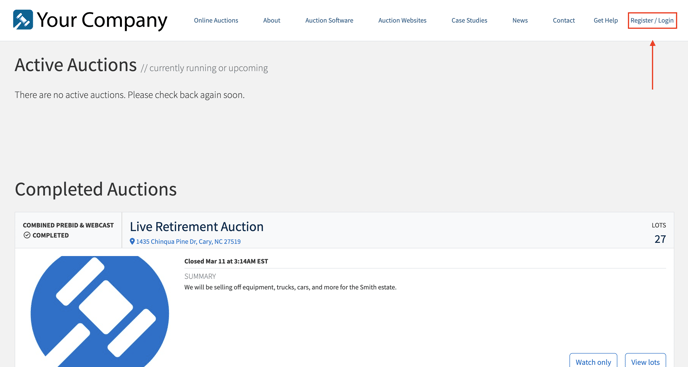
- First you will need to go to the website rand click Register/ Login in the top right-hand corner.
- Type in your old email address in the email field and click Next. If done correctly you will be taken to the page to type in your password. 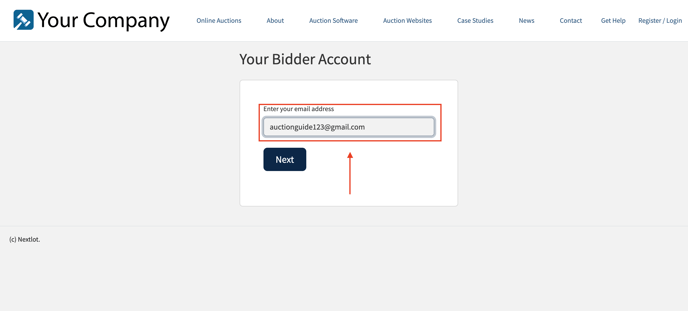
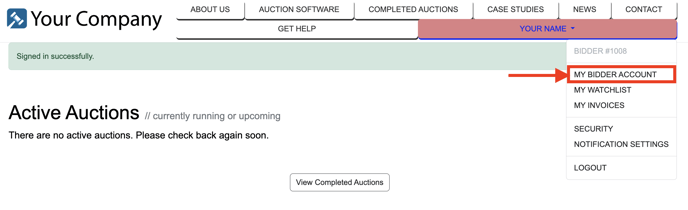
- After logging into your account, click on your name in the top right hand corner. Then click on "My Bidder Account".
- In your bidder account you will go into your profile where you see your email address.
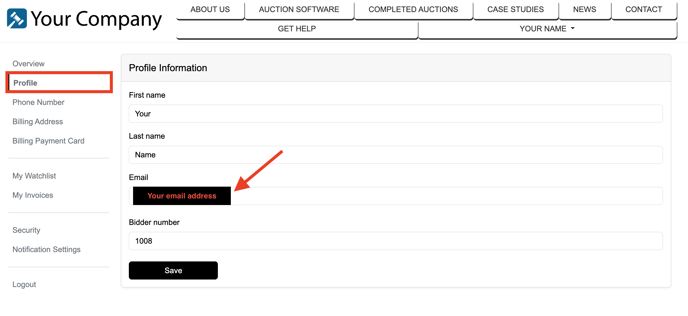
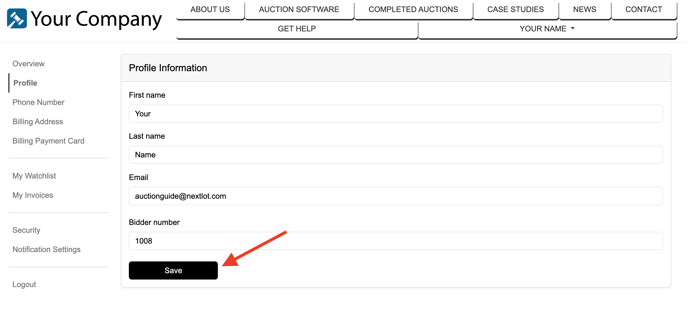
You will now need to type in your new email address and re-verify this email. After typing in your email address click the "Save" button.
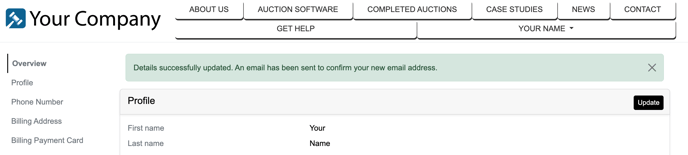
After clicking save you should see this message.
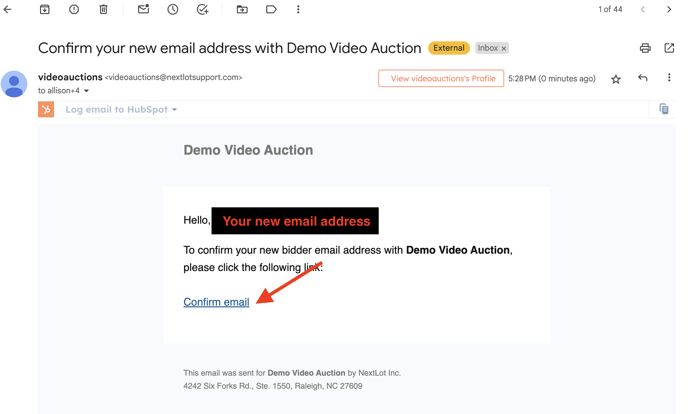
You will then need to go to your email inbox where you must click the link in the email “Confirm Email”.

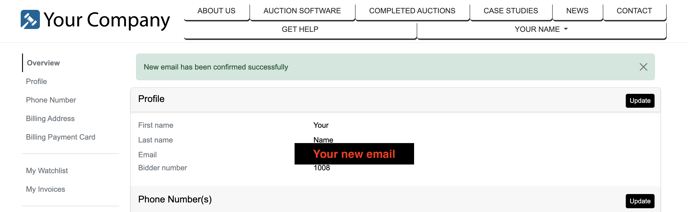
- Once you have done this, you will be brought to the bidder account page confirming this change.